Mailchimp is one of the best-known email marketing tools in the world. For a long time, it was a first choice for beginners, bloggers, small businesses, and online stores that wanted to collect contacts and send newsletters without complicated setup.

In this review, I looked at the current pricing, free plan, features, pros, cons, user reviews, and alternatives. Mailchimp is still a strong brand, but after changes to the free plan and pricing, it is no longer automatically the best-value option for everyone.
Quick summary
I recommend Mailchimp mainly if you want a well-known and versatile tool for newsletters, forms, landing pages, segmentation, automations, and simple e-commerce campaigns. Its biggest strengths are the clear interface and wide ecosystem. Its biggest downside is the weaker free plan and rising price as your contact database grows.
For complete beginners, Mailchimp is still good for testing. If you plan to send campaigns regularly, build a larger database, or run e-commerce automations, I would compare it especially with MailerLite, Ecomail, and SmartEmailing.
What is Mailchimp?
Mailchimp is an online marketing platform focused mainly on email marketing, newsletters, marketing automations, forms, landing pages, contact segmentation, reports, and e-commerce campaigns. In practice, it helps you collect contacts, send campaigns, and communicate with your audience without building your own technical solution.
Mailchimp started as a simple newsletter tool. Today, it is a broader marketing platform with AI tools, automation flows, forms, landing pages, basic CRM features, segmentation, reporting, and integrations with tools such as WordPress, WooCommerce, and Shopify.
It makes the most sense for users who want several marketing functions in one account and do not want to deal with complex enterprise CRM right away. If you are looking for the cheapest possible tool for a simple newsletter, Mailchimp may no longer be the best default choice.
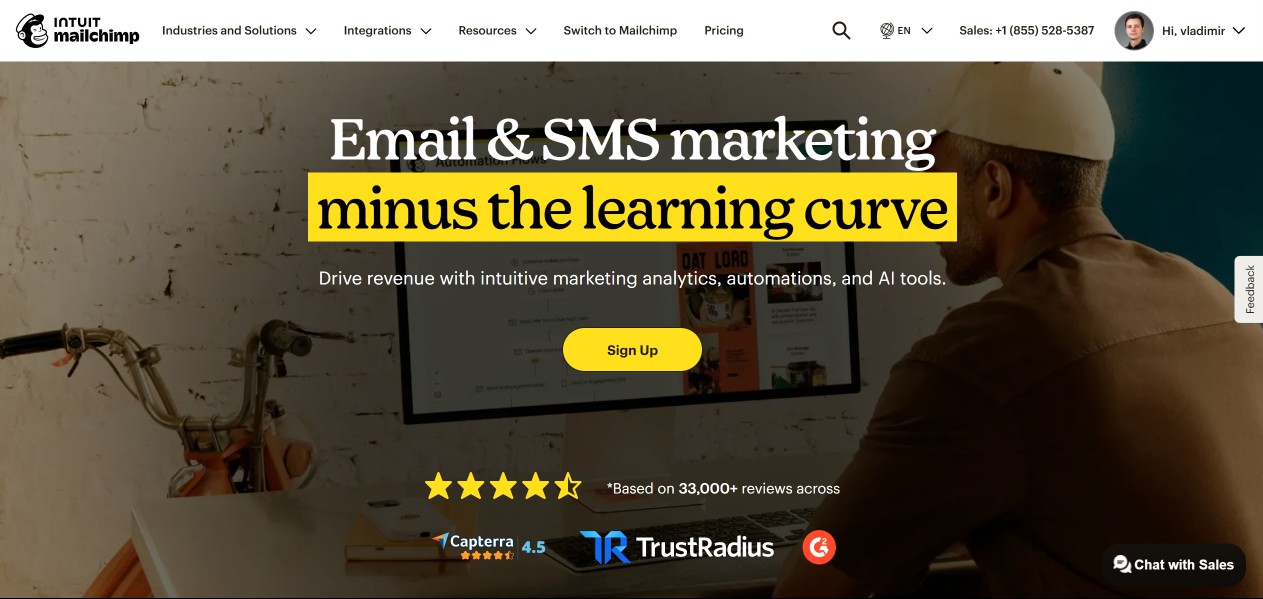
Pricing and plans
Mailchimp has four main marketing plans: Free, Essentials, Standard, and Premium. The price depends on the number of contacts, selected plan, and billing setup. The Free plan is limited to 250 contacts and 500 monthly email sends, while paid plans for smaller databases start at around $13 per month.
The Free plan is mainly suitable for testing. It includes up to 250 contacts, 500 monthly sends, and a daily limit of 250 sends. It includes one audience, one user, basic templates, a simple automated welcome email, basic reports, forms, and landing pages.
Essentials is the entry-level paid plan. At 500 contacts, it starts at around $13 per month. According to Mailchimp’s rules, it supports up to 50,000 stored contacts, and the monthly send limit is 10 times the contact limit. It adds all email templates, A/B testing, email scheduling, and 24/7 email and chat support.
Standard starts at around $20 per month for 500 contacts. It is better for users who want more advanced automations, segmentation, custom reports, personalized onboarding, and more data-based recommendations. The monthly send limit is 12 times the contact limit.
Premium is the highest plan for larger teams and databases. It starts at around $350 per month and the base price includes 10,000 contacts. It offers unlimited audiences, unlimited users, phone support, advanced permissions, multivariate testing, and higher limits.
Mailchimp also has a Pay As You Go option, where you buy email credits instead of a monthly subscription. This makes sense mainly if you send campaigns irregularly and do not want a monthly plan.
Tip: You can find current discounts and coupons in the deals section. For email marketing tools, I recommend checking whether a promotion or better plan is available before paying.
Features and parameters
Mailchimp offers a broad feature set for email marketing, automations, contact collection, segmentation, and e-commerce communication. It is strongest in its simple editor, templates, integrations, reports, and the availability of many marketing functions in one interface.
Email editor and templates
Mailchimp has a simple drag-and-drop editor that lets you prepare newsletters without coding. It is suitable for users who want to quickly build emails from blocks, add images, text, buttons, products, and basic personalization.
Paid plans include a wider template selection, more design options, and better control over the final result. For simple newsletters, the editor is pleasant to use. For more demanding brand design, custom templates or higher-plan options may be more practical.
Forms and contact collection
Mailchimp lets you create signup forms, pop-ups, and embedded website forms. For WordPress projects, this is important because you can collect contacts directly from a blog, magazine, company website, or online store.
You can use forms for newsletter subscriptions, webinar registrations, discount coupons, or lead magnet downloads. As your database grows, keep an eye on contact limits because Mailchimp pricing is based on database size.
Landing pages
Mailchimp landing pages help you create a simple campaign page without a separate website. You can use them to collect contacts, promote a product, e-book, course, event, or special offer.
For quick campaigns, this is practical. If you already have a WordPress website with a good builder, it is often more flexible to create the landing page directly in WordPress and use Mailchimp only for contact collection and follow-up emails.
Automations
Mailchimp automations send emails based on contact behavior. You can create welcome series, abandoned cart emails, post-purchase follow-ups, reactivation campaigns, or simple customer journeys.
Automations are more limited in lower plans. Essentials limits automation flows to fewer steps, while Standard adds more advanced options. If automation is the main reason you are choosing a tool, Standard is usually a more realistic starting point than Free or Essentials.
Segmentation and personalization
Segmentation in Mailchimp lets you divide contacts by data, activity, interests, purchase behavior, or reactions to campaigns. That means you do not have to send the same newsletter to everyone in your database.
Advanced segmentation is one of the reasons to consider Standard or Premium. For a simple newsletter, basic contact grouping is enough. For an online store, targeting based on orders, inactivity, interests, or purchase likelihood can be much more important.
AI features
Mailchimp now also works heavily with AI features. They help with copy, subject lines, automation flows, campaign recommendations, and content optimization. Most of the more interesting AI options are mainly tied to higher paid plans.
I see AI as a useful assistant, not a replacement for marketing strategy. It can speed up campaign creation, suggest a first draft, and help with subject line variants. The final email should still be adjusted to your brand, audience, and offer.
E-commerce features
Mailchimp has strong e-commerce integrations and can connect with WooCommerce, Shopify, BigCommerce, PrestaShop, or custom solutions via API. For online stores, customer, order, product, and campaign data connections are especially important.
In practice, you can work with abandoned carts, product recommendations, purchase-based segmentation, post-order follow-ups, and campaigns based on customer behavior. For a large e-shop, I would still compare Mailchimp with tools more specialized in e-commerce marketing.
WordPress and WooCommerce integrations
Mailchimp can be connected with WordPress and WooCommerce. With WordPress, you can collect subscribers through forms. With WooCommerce, customer and order data can be synchronized into Mailchimp.
The official WooCommerce connection is useful mainly for stores that want to use email marketing for repeat purchases, product recommendations, abandoned carts, and measuring campaign results. For every e-shop, I recommend checking exactly which data needs to be synchronized.
Pros
The biggest advantage of Mailchimp is the combination of a well-known brand, simple editor, templates, integrations, e-commerce options, and a broader marketing platform. It can do more than just send basic newsletters.
- Very well-known email marketing tool.
- Clear drag-and-drop editor.
- Good template selection in paid plans.
- Forms, pop-ups, and landing pages.
- Automations and customer journeys.
- AI tools in higher plans.
- Good segmentation options.
- Integrations with WordPress, WooCommerce, Shopify, and other platforms.
- Suitable for simple e-commerce campaigns.
- 24/7 email and chat support in Essentials and higher paid plans.
Cons
The biggest disadvantage of Mailchimp today is the price and limited free plan. In the past, it was one of the most attractive free-start tools. Today, the free plan is more useful for testing, and real use can move you to a paid plan fairly quickly.
- The Free plan is limited to only 250 contacts and 500 emails per month.
- The price grows as your database grows.
- More advanced automations make sense mainly from the Standard plan.
- Phone support is available only in the Premium plan.
- The interface is not available in every local language.
- Some functions are split across plans and add-ons.
- Local tools may be more practical for local European e-shops.
My experience
I see Mailchimp as a strong, well-known, and usable tool that is good for starting with email marketing. It has a pleasant editor, good templates, many integrations, and interesting automation and AI features in paid plans.
The biggest change compared with the past is the price and free plan. Mailchimp is no longer a tool I would automatically recommend to everyone just because it has a free account. The free plan is now more of a testing space than a long-term solution for a growing newsletter.
If you are starting and only want to test Mailchimp, it makes sense. If you want to build a database on a WordPress site or WooCommerce store long term, I would definitely compare MailerLite, Ecomail, and SmartEmailing as well.
User reviews
User ratings for Mailchimp vary by platform. On Capterra, Mailchimp has around 4.4 to 4.5 out of 5 based on more than 17,000 reviews. On Trustpilot, ratings are weaker, often related to support, billing, accounts, and dissatisfaction with price changes.
Positive reviews most often praise simplicity, the editor, templates, brand recognition, and integrations. Negative reviews often mention rising prices, free plan limits, support, billing, and the fact that some advanced features are available only in higher plans.
When reading reviews, I recommend looking at who is reviewing Mailchimp. A small business with an occasional newsletter may be happy. An online store with a large database, advanced automations, and price sensitivity can have a very different experience.
Alternatives
Mailchimp is a good universal tool, but I would definitely compare it with alternatives before choosing. Important factors include price at your contact count, automations, support language, e-commerce features, interface, and how quickly your database will grow.
MailerLite
MailerLite is one of the best Mailchimp alternatives for bloggers, creators, small businesses, and simple newsletters. Compared with Mailchimp, it often feels more modern, simpler, and more affordable for smaller projects.
Mailchimp has an advantage in brand strength, platform width, and some more advanced marketing features. I would recommend MailerLite mainly if you want a simple interface, a good editor, and a clearer start with email marketing.
AWeber
AWeber is an alternative for users who want simple email marketing, landing pages, forms, and good support. Compared with Mailchimp, it can be less complex, but also clearer for smaller projects.
Mailchimp has a wider marketing ecosystem and a stronger brand. I would consider AWeber if simplicity, support, and a less complicated basic newsletter setup are important to you.
SmartEmailing
SmartEmailing is a Czech tool suitable for businesses and e-shops that want a more local environment, support, automations, segmentation, and broader marketing communication. For the Czech and Slovak market, it can be more practical than Mailchimp.
I would choose Mailchimp more for a global project or if you want a wide ecosystem. SmartEmailing makes sense if you want a tool closer to the local market and plan to work with customer data more systematically.
Ecomail
Ecomail is a very good alternative for Czech and Slovak e-shops. It is worth comparing especially if you want to work with orders, segmentation, automations, abandoned carts, and a more local environment.
Mailchimp can be more universal and global. Ecomail may be more practical for local e-shops that want email marketing with better focus on the Czech and Slovak market.
You can find more options in my overview of the best email marketing tools.
Support and contact
Mailchimp support depends on the plan. New Free accounts get email support only for the first 30 days, then mainly Mailchimp Assistant. Essentials and higher plans include 24/7 email and chat support. Phone support is available only in the Premium plan.
Mailchimp also has a large help center, guides, video tutorials, and educational materials. For common questions, this is often enough. For billing, technical issues, or more complex integrations, the difference between free and paid plans can be significant.
Summary and rating
Mailchimp is still a strong email marketing tool, but I no longer see it as automatically the best choice for everyone. It is suitable for users who want a known solution, a good editor, broad integrations, landing pages, automations, and e-commerce functions in one tool.
My rating: 8.0/10.
I recommend Mailchimp if you want a well-known and versatile email marketing tool, plan to use a paid plan, and appreciate a wide function ecosystem. It makes the most sense for projects that need more than just a basic newsletter.
I do not recommend Mailchimp if you are looking for the most generous free plan, a local-language interface and support, the lowest possible price as your database grows, or a simple tool without extra complexity.
Frequently asked questions
Here are quick answers to the most common questions about Mailchimp, its pricing, free plan, WordPress integration, e-commerce features, and suitable alternatives.
What is Mailchimp?
Mailchimp is an online marketing platform for email marketing, newsletters, automations, forms, landing pages, segmentation, and e-commerce campaigns. It is used by small businesses, creators, bloggers, marketing teams, and online stores.
Is Mailchimp free?
Yes, Mailchimp has a Free plan. It is currently limited to 250 contacts, 500 monthly email sends, and a daily limit of 250 sends. It is best for testing or getting started, not as a long-term solution for a growing newsletter.
How much does Mailchimp cost?
At 500 contacts, Mailchimp Essentials starts at around $13 per month and Standard at around $20 per month. Premium starts at around $350 per month and the base price includes 10,000 contacts. The price increases depending on contact count and plan.
Does Mailchimp have a trial?
Yes, Mailchimp promotes a 14-day trial of the Standard plan. Without adding a payment method, you can send a limited number of emails; after adding a payment method, a higher trial sending limit becomes available.
Is Mailchimp suitable for WordPress?
Yes, Mailchimp is suitable for WordPress. It can be used for contact collection, forms, newsletters, and website integration. For WordPress blogs, magazines, and smaller business websites, it is a usable option, especially if you do not mind the English interface.
Is Mailchimp suitable for WooCommerce?
Yes, Mailchimp can be connected with WooCommerce. You can synchronize customers and order data, create targeted campaigns, work with abandoned carts, product recommendations, and measure email marketing results.
What are the best Mailchimp alternatives?
The best alternatives include MailerLite, AWeber, SmartEmailing, Ecomail, SmartMailer, Brevo, GetResponse, and ActiveCampaign. For Central European markets, I would mainly compare MailerLite, Ecomail, and SmartEmailing.