Exon.io is a Czech hosting provider offering cPanel, LiteSpeed Enterprise and support for WordPress, ecommerce stores and modern applications. In this review, I examine its current pricing, technical specifications, advantages, disadvantages and overall value for European website owners.

Quick summary
I recommend Exon.io for demanding WordPress sites, ecommerce stores, developers and agencies that need cPanel, LiteSpeed Enterprise, private Redis, SSH and generous technical limits. It is not the cheapest hosting service, but its entry plan offers substantially more resources and flexibility than a typical low-cost shared hosting package.
Its strongest advantage is the combination of 3 vCPU, 3 GB RAM, 80 GB NVMe storage, support for several development environments and hosting for up to 20 primary domains. The main drawbacks are annual billing on the cheapest plan, significantly higher Pro and Ultra pricing, and support that is not available around the clock.
What is Exon.io?
Exon.io is a Czech hosting brand operated by Belightbyte s.r.o. Its services include web hosting, VPS products, business email, domain registration and other infrastructure solutions. The flagship nextHosting product combines managed shared hosting with features that are more commonly associated with premium hosting or technically advanced server plans.
The provider has operated since 2012 and reports hosting more than 4,000 websites. Its own nextHosting hardware is located in the Coolhousing data center in Prague, making it a geographically attractive option for websites serving Central European and broader European audiences.
The hosting range consists of nextHosting, nextHosting Pro and nextHosting Ultra. Exon.io also offers nextVPS virtual servers, nextMail business email, domain services and a local DGX Spark AI solution. This review focuses primarily on the three nextHosting plans.
Pricing and plans
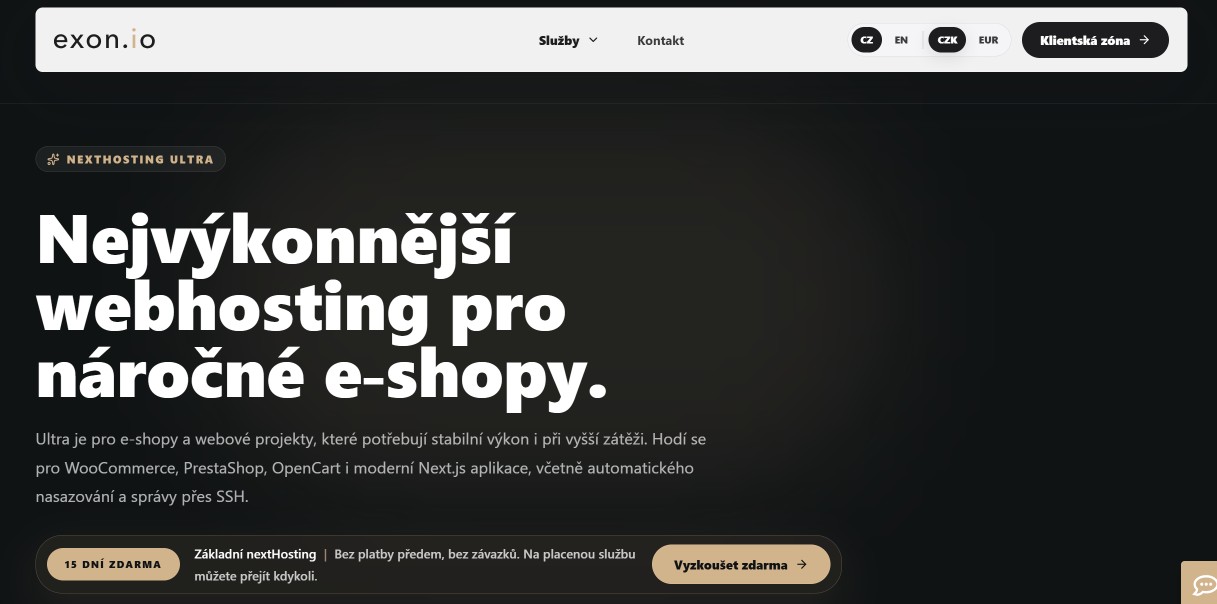
Exon.io offers three performance tiers. When I checked the pricing on July 17, 2026, nextHosting cost €15 per month, Pro cost €41.50 and Ultra cost €129.10 including VAT. The entry plan requires a minimum 12-month billing period, while Pro and Ultra can be purchased with monthly billing.
Tip: You can find current coupons and promotions in the deals section. Exon.io also lets you test the entry-level nextHosting plan free for 15 days without an upfront payment or long-term commitment.
| Plan | Price with VAT | Resources | Storage | Domains | Best for |
|---|---|---|---|---|---|
| nextHosting | €15/month | 3 vCPU, 3 GB RAM | 80 GB NVMe | 20 + 20 aliases | Websites, smaller stores and applications |
| nextHosting Pro | €41.50/month | 6 vCPU, 6 GB RAM | 120 GB NVMe | 50 + 50 aliases | Larger stores and growing projects |
| nextHosting Ultra | €129.10/month | 8 vCPU, 8 GB DDR5 RAM | 180 GB NVMe | 100 + 100 aliases | Demanding stores and applications |
The entry-level nextHosting plan includes 3 vCPU, 3 GB RAM, 80 GB NVMe storage and a private Redis instance with 512 MB of memory. It supports 20 primary domains, another 20 aliases, 50 databases, 50 email accounts and up to 5 GB of total MySQL database storage.
nextHosting Pro raises the limits to 6 vCPU, 6 GB RAM, 120 GB NVMe storage and 1 GB of private Redis memory. It supports 50 domains, 50 aliases, 100 databases, 100 mailboxes and up to 10 GB of total database storage. It is a stronger fit for WooCommerce and busier applications.
Ultra runs on separate higher-performance hardware with an AMD Ryzen 9950X processor and DDR5 memory. It provides 8 vCPU, 8 GB RAM, 180 GB NVMe storage, 100 domains, 100 aliases and databases up to 15 GB in total. It targets projects where response times matter more than the lowest possible price.
The minimum 12-month billing period is an important detail on the basic plan. Although the displayed €15 monthly rate includes VAT, it is not a flexible month-to-month subscription. Pro and Ultra are easier to test or scale temporarily because they are also available with one-month billing.
Features and specifications
Exon.io offers an unusually broad technology stack for shared hosting. Every plan includes cPanel, the simpler nextPanel interface, LiteSpeed Enterprise, private Redis, SSH, Git, Composer, WP-CLI, API access, daily backups, Anycast DNS and multiple security tools for protecting websites and hosting accounts.
cPanel and nextPanel
Exon.io combines the full cPanel interface for technical users with the simpler nextPanel dashboard for routine tasks. You can manage domains, email and basic settings without unnecessary complexity, while advanced tools and detailed configuration remain available through the familiar cPanel environment.
Each hosting package can contain up to eight cPanel accounts. This is useful for agencies and users who want to separate projects or client access. The service still remains shared hosting rather than a full VPS with its own operating system and unrestricted root access.
WordPress, PHP, Node.js and Python
The hosting supports WordPress and WooCommerce alongside Laravel, Symfony, PrestaShop, OpenCart and custom applications. Node.js and Python projects can run through Passenger, while Exon.io also mentions reverse-proxy deployment options for applications with more specific requirements.
Available PHP versions include 5.6, 7.1 through 7.4 and 8.0 through 8.5. Node.js support covers selected releases from version 10 to 24, while Python 2.x and 3.x are available. Deployment tools include Git, Composer, npm, pip, Rsync, SFTP and direct access to logs.
For WordPress, I particularly value the combination of WP-CLI, LiteSpeed Enterprise and private Redis. It provides efficient command-line management, object caching and full compatibility with LiteSpeed Cache without the compromises commonly found on cheaper hosting that uses a different web server.
LiteSpeed, Redis and performance
All three plans use LiteSpeed Enterprise with HTTP/3 and LSCache support. Private Redis includes 512 MB on the entry plan and 1 GB on both Pro and Ultra. These resources are particularly useful for dynamic WordPress sites and ecommerce stores that rely heavily on database queries and object caching.
Performance limits still apply because this is a shared service. The terms state that an account should not continuously use more than 50% of its allocated resources for 30 minutes or repeatedly consume that level in short intervals. Exon.io assesses excessive resource use individually.
The advertised vCPU and RAM figures should therefore not be interpreted as permanently unrestricted VPS resources. They should provide comfortable capacity for most websites, but I would compare Ultra with a managed VPS or dedicated environment if an application produces sustained heavy workloads.
Security, backups and DNS
The security stack includes free SSL certificates, a WAF, IDS/IPS, malicious bot protection, a malware scanner with infection cleanup and PHP Proactive Defense. Hosting accounts are isolated through CageFS, reducing the risk of one customer accessing another account on the shared infrastructure.
Backups run once every 24 hours and the restore history covers the previous 15 days. Copies are stored on separate storage. I still recommend maintaining an independent external backup for important websites rather than relying exclusively on any single hosting provider.
Anycast DNS is included with all plans and uses three locations in Europe and three in the United States. The maximum connection speed is 1 Gbps and monthly traffic is described as unlimited, although the fair-use and shared-resource conditions continue to apply.
Infrastructure and uptime
nextHosting runs on Exon.io-owned hardware in the Coolhousing data center in Prague. Services are monitored continuously, and important alerts can be handled outside normal support hours. The terms describe monthly network and service availability of 99.9% on a best-effort basis.
The best-effort wording matters because it is not equivalent to an enterprise SLA with precisely defined compensation. A 99.9% target is normal for mainstream hosting, but businesses running mission-critical applications should request and review any individual service guarantees before purchasing.
Advantages
Exon.io’s main advantage is the amount of performance and development functionality available without the burden of managing an entire server. Even the entry plan combines generous storage, multiple domains, a modern web server and tools that can satisfy both ordinary website owners and technically advanced agencies.
- 3 vCPU, 3 GB RAM and 80 GB NVMe on the entry plan,
- LiteSpeed Enterprise, HTTP/3, LSCache and private Redis,
- full cPanel plus the simpler nextPanel interface,
- support for WordPress, WooCommerce, PHP, Node.js and Python,
- SSH, Git, Composer, WP-CLI, API access and deployment tools,
- daily backups with a 15-day restore history,
- Anycast DNS, WAF, IDS/IPS and malware cleanup,
- a free 15-day trial of the basic plan,
- provider-owned infrastructure in a Prague data center,
- customer support every day, including weekends and holidays.
Disadvantages
Exon.io is not the best fit for users who simply need the cheapest possible hosting for one small website. Its price reflects the stronger specifications, but many of those resources may go unused on a basic project. Buyers should also consider the annual billing requirement and the limits applied to sustained resource consumption.
- more expensive than entry-level hosting for a single site,
- a minimum 12-month term on the basic nextHosting plan,
- Pro and Ultra are expensive for smaller websites,
- customer support is not available 24 hours a day,
- phone support is designed for registered customer numbers,
- vCPU and RAM are subject to fair-use rules,
- the customer environment is primarily Czech and English,
- there are relatively few independent public user reviews.
My experience
For this review, I checked the current pricing, technical specifications, support information, terms and publicly available user feedback. I did not conduct a long-term independent uptime or speed benchmark, so I will not invent TTFB figures, uptime percentages or page-loading results for a specific website.
Based on the specifications, Exon.io is one of the more technically interesting shared hosting services available to Central European customers. The basic nextHosting plan includes enough resources for several websites, strong developer tools and a modern stack without requiring the user to maintain a server operating system.
For a normal business WordPress website, I would choose the basic plan if I could use its multiple domains, large storage allocation or Redis instance. A cheaper provider may be more economical for one small website. I would reserve Pro for a growing WooCommerce store and Ultra for demanding applications where price is secondary.
I appreciate the 15-day trial without upfront payment. A practical hosting test is more valuable than a marketing claim because performance depends on your theme, plugins, database, caching and traffic. The trial lets you migrate a copy of your own site and compare real response times.
User reviews
Exon.io has fewer independent public reviews than the largest international hosting brands. Available Czech comparisons and community discussions are generally positive and often mention speed, technical features and helpful support. The sample is too small, however, to support dependable statistical conclusions.
Positive comments most commonly concern WordPress and ecommerce performance, technical support and developer flexibility. More critical observations focus on the higher price and the fact that Exon.io makes the most sense for customers who will genuinely use its advanced features.
I would not base the purchase on one average score. A better approach is to use the free trial, test your own website, contact support with a real question and compare the final annual cost with competing services. This produces a more relevant assessment than reviews of unrelated websites.
Alternatives
Exon.io stands out for its resources, cPanel environment and developer features. Simpler WordPress projects may get better value from less technical services, while larger stores may prefer a specialized cloud or managed WordPress platform. I would compare it with Hostinger, SiteGround, Cloudways and Kinsta.
Hostinger
Hostinger is a better match for beginners who value a simple control panel, guided WordPress management and a low introductory price. Exon.io offers a more technical cPanel environment, broader application support and substantially more resources on its entry-level plan.
I would choose Hostinger for a first website, personal blog or smaller project where simplicity matters most. Exon.io is more attractive to agencies, developers and ecommerce businesses that can use SSH, private Redis, multiple domains, Node.js, Python or more detailed hosting controls.
SiteGround
SiteGround is a widely recognized managed WordPress alternative with an accessible custom dashboard and a strong focus on mainstream website owners. Exon.io is better suited to users who prefer cPanel, need several runtime environments or want more direct control over development tools.
I would consider SiteGround for a conventional WordPress business site where guided management is a priority. Exon.io is more compelling for multi-site hosting, private Redis, command-line workflows and applications that extend beyond WordPress and standard PHP hosting.
Cloudways
Cloudways provides managed cloud hosting on third-party infrastructure and is a strong alternative for growing applications that need more server-level scalability. Exon.io is easier to understand as a fixed hosting package and includes cPanel, email and multiple domains in one account.
I would choose Cloudways for a project that needs flexible cloud server sizing and dedicated resources. Exon.io is more convenient for agencies and businesses that want a traditional all-in-one hosting environment with email, domains, cPanel and developer tools already integrated.
Kinsta
Kinsta is a premium managed WordPress platform built for customers who want specialist WordPress operations, strong tooling and less responsibility for technical administration. Exon.io supports a much wider range of applications and can host many domains inside one flexible cPanel-based environment.
I would choose Kinsta for a high-value WordPress website where specialist managed support matters more than cost. Exon.io is a better fit when you need email, several sites, non-WordPress applications, direct SSH access and greater freedom to configure the hosting environment.
Support and contact details
Exon.io customer support operates every day from 8:00 a.m. to 10:00 p.m., including weekends and public holidays. Customers can use email, tickets in the client area, a contact form or telephone support. The phone line accepts calls from registered customer numbers, which can make account identification faster.
- Email: support@exon.io,
- Telephone: +420 910 118 031,
- Support hours: daily, 8:00 a.m.–10:00 p.m.,
- Monitoring: continuous 24/7,
- Operator: Belightbyte s.r.o.,
- Address: Sanderova 1616/16, Holešovice, 170 00 Prague 7, Czech Republic.
Support covers hosting configuration, availability and issues directly related to the service. The terms explicitly state that the provider does not support third-party applications or repair errors in your website. Problems caused by a plugin, theme or custom code may therefore require a developer.
Final verdict
Exon.io is a premium Czech hosting service for websites, ecommerce stores and applications that can use its stronger resources, multiple domains and advanced tools. The basic nextHosting plan provides a good specification-to-price ratio, but only when the annual payment is acceptable and the included features are genuinely useful to your project.
My rating: 8.4/10.
I recommend Exon.io if you:
- operate several WordPress sites or a larger ecommerce store,
- want cPanel, LiteSpeed Enterprise and private Redis,
- use SSH, Git, Composer, WP-CLI or API access,
- need PHP, Node.js or Python within one hosting account,
- prefer European infrastructure and daily support.
I do not recommend Exon.io if you:
- need the cheapest possible hosting for one simple site,
- do not want to pay for the basic plan annually,
- require 24-hour telephone support,
- need permanently dedicated server resources with a strict SLA.
For most demanding WordPress projects, I would start with the entry-level nextHosting plan and use the free trial. I would move to Pro or Ultra only after measuring real resource consumption. For sustained heavy workloads, compare Ultra directly with managed VPS and dedicated hosting options.
Frequently asked questions
Below are direct answers to the most common questions about Exon.io. I cover WordPress compatibility, pricing, the free trial, server location, backups, international customers and plan selection so that you can quickly decide whether the service matches your website or application.
Is Exon.io good for WordPress?
Yes. Exon.io supports WordPress, WooCommerce and larger content sites with LiteSpeed Enterprise, LSCache, private Redis, WP-CLI, SSH, daily backups and security tools. It may be excessive for one small website, but its specifications make more sense for several projects, an ecommerce store or a resource-intensive WordPress installation.
How much does Exon.io cost?
When checked on July 17, 2026, nextHosting cost €15 per month, nextHosting Pro cost €41.50 and Ultra cost €129.10 including VAT. The entry plan requires a minimum 12-month billing period. Pro and Ultra are also available with monthly billing.
Does Exon.io offer a free trial?
Yes. You can test the basic nextHosting plan free for 15 days. Exon.io states that the trial does not require an upfront payment or commitment and can be converted to a paid service at any time. I recommend migrating a copy of your own site and comparing its real performance.
Where are Exon.io servers located?
The nextHosting platform runs on provider-owned hardware in the Coolhousing data center in Prague, Czech Republic. This location is suitable for Central European and broader European audiences. Services are monitored continuously, while customer support operates every day from 8:00 a.m. to 10:00 p.m.
How does Exon.io back up websites?
Exon.io creates a backup every 24 hours and provides a 15-day restore history. Backups are stored on separate storage. Important websites should still maintain an independent external backup because no hosting provider can guarantee that every backup copy will always remain available.
Can international customers use Exon.io?
Yes. International customers can use Exon.io, display pricing in euros and access the client area in English. The servers are located in Prague and the operator is a Czech company, so businesses should account for cross-border invoicing, applicable VAT rules and the Central European support schedule.
Which Exon.io plan should I choose?
Choose basic nextHosting for a normal WordPress site, several smaller projects or a smaller ecommerce store. Pro is more suitable for a growing WooCommerce installation and regular traffic spikes. Ultra makes sense for a demanding production application that can use Ryzen 9950X hardware, 8 vCPU, 8 GB DDR5 RAM and higher limits.