GreenGeeks is an environmentally focused hosting provider for WordPress websites, blogs, and smaller online stores. In this review, you will find its current prices, features, main advantages and disadvantages, and my final rating.

Quick summary
GreenGeeks is an appealing international hosting service for WordPress, smaller business websites, and users who want to reduce the environmental impact of their website. It offers cPanel, free SSL, an Amsterdam data center, and 24/7 support. Its biggest drawbacks are much higher renewal prices and support that is mainly available in English.
I rate GreenGeeks 8.2/10. I recommend it mainly for blogs, portfolios, small businesses, and WordPress websites targeting visitors in Europe or North America. It is less suitable for users who need support in their local language, predictable long-term pricing, or local billing outside the United States.
What is GreenGeeks?
GreenGeeks is a US-based web hosting provider offering shared hosting, WordPress and WooCommerce hosting, VPS, and reseller solutions. Its main differentiator is an environmental commitment: it purchases renewable energy credits equal to three times the energy consumed by its servers and offices.
The company has operated since 2008 and runs data centers in Chicago, Montreal, Amsterdam, and Singapore. For a website serving European visitors, Amsterdam is the most logical choice because the shorter geographical distance can improve server response times.
GreenGeeks also works with reforestation partners and supports the planting of one tree for every new hosting account. Its environmental positioning is therefore more than a slogan, although it should still be considered together with price, performance, and support quality.
Pricing and plans
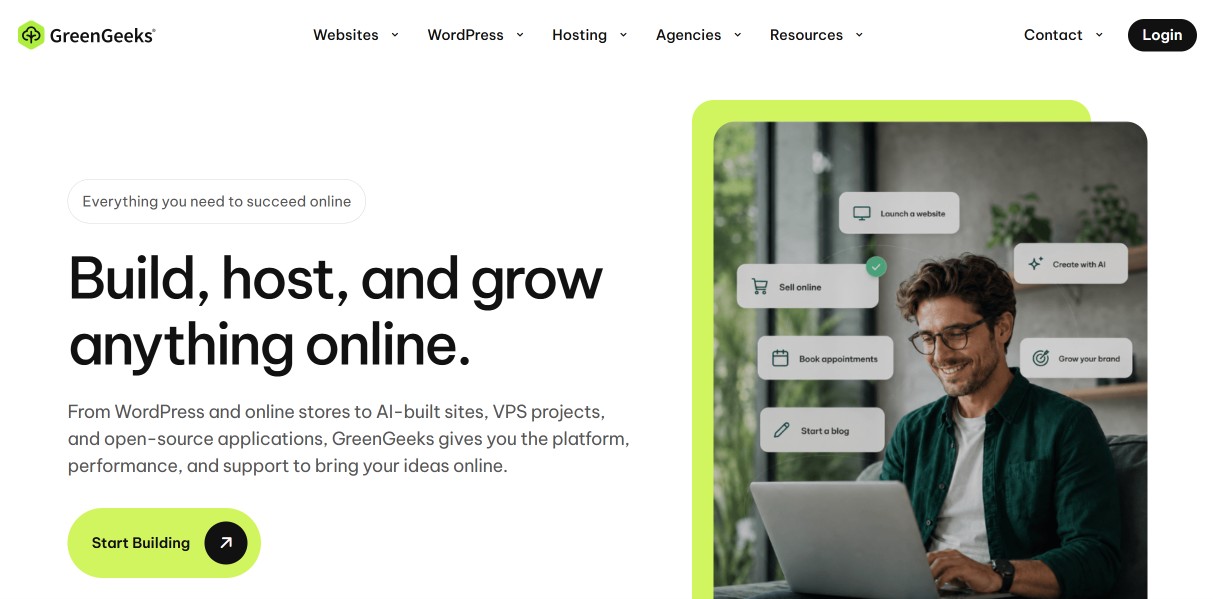
GreenGeeks shared hosting starts at $2.95 per month when prepaid for 12 months, but prices increase substantially after the introductory term. Lite is designed for one smaller website, Pro for multiple websites, and Premium for busier projects. Before ordering, pay more attention to the renewal price than to the prominent promotional rate.
I verified the following prices on July 20, 2026, using the official GreenGeeks pricing page. The promotional price applies to a 12-month prepayment. Billing is in US dollars, so the final amount in your local currency depends on the exchange rate and your bank’s fees.
| Plan | Promotional price | First year | Renewal | Websites and storage |
|---|---|---|---|---|
| Lite | $2.95/month | $35.40 | $13.95/month | 1 website, 25 GB |
| Pro | $4.95/month | $59.40 | $18.95/month | Unlimited websites, 50 GB |
| Premium | $8.95/month | $107.40 | $30.95/month | Unlimited websites, 100 GB |
All three plans include unmetered data transfer and a 30-day money-back guarantee. The guarantee applies to eligible hosting fees, but domain registration, add-ons, setup fees, and other non-refundable services may be excluded.
Tip: You can find current promotions and coupons in the discounts section. With GreenGeeks, always compare the first-year price with the renewal cost.
Lite
Lite is the entry-level plan for one blog, portfolio, or simple business website. It includes 25 GB of storage and unmetered transfer. Its main advantage is the low introductory price, but after the first year the monthly fee rises from $2.95 to $13.95, which changes its long-term value significantly.
I would choose this plan only for one undemanding website that does not require flexible on-demand backup restores. GreenGeeks creates system backups, but user-controlled restore options are more limited on Lite than on the more expensive plans.
Pro
Pro is the most sensible plan for many users because it supports an unlimited number of websites, includes 50 GB of storage, and offers more convenient access to on-demand backups. If you manage several WordPress websites, the price difference compared with Lite can be justified despite the higher renewal cost.
Pro suits a small agency, a publisher running several content sites, or a business with separate projects. However, “unlimited websites” does not mean unlimited CPU, memory, or database resources, so you should monitor real usage.
Premium
Premium targets busier websites and smaller online stores. It includes 100 GB of storage, unlimited websites, and higher resource limits than the cheaper plans. The promotional price of $8.95 per month looks attractive, but the $30.95 renewal price should be compared with quality cloud or managed WordPress hosting.
For a growing WooCommerce store, I would not buy Premium automatically just because it is the top shared plan. I would first compare performance limits, backups, incident recovery, and scalability with services designed specifically for demanding online stores.
Features and specifications
GreenGeeks covers most features I expect from modern shared hosting: cPanel, free SSL, one-click WordPress installation, SSD storage, backups, email, and 24/7 support. European users also benefit from the Amsterdam data center and the option to choose a server location.
WordPress and cPanel
GreenGeeks uses the familiar cPanel control panel and provides a one-click installer for more than 150 applications, including WordPress, Joomla, and Drupal. Beginners can launch a website without uploading files manually, while experienced users retain access to databases, email accounts, files, and technical settings.
Its WordPress hosting runs on shared infrastructure and includes automatic updates, security features, and performance optimizations. It is not a fully hands-off premium managed service that assumes responsibility for every plugin conflict or development task.
If you are new to the platform, my guide explaining what WordPress is will help. GreenGeeks is especially attractive if you prefer a traditional cPanel environment instead of a proprietary hosting dashboard.
Performance and data centers
The hosting platform uses SSD storage, LiteSpeed technologies, and data centers in North America, Europe, and Asia. I recommend Amsterdam for a European audience. GreenGeeks advertises a 99.9% network uptime guarantee, but for an important online store I would still use independent monitoring and off-site backups.
Server location alone does not guarantee a fast website. Performance also depends on the theme, plugins, images, database, and caching. I therefore value the European location, but I would not rely only on marketing labels such as “fast” or “optimized.”
SSL, domain, and email
The plans include a free Let’s Encrypt SSL certificate and, where stated in the offer, one free domain registration or transfer for the first year. The domain renews at the regular price after the introductory period. Email accounts on your own domain are also included and managed through cPanel.
You do not have to register your domain with the same provider that hosts your website. Keeping it with a separate registrar can make future migration easier. My guide on how to choose a domain name explains the key considerations.
Backups and security
GreenGeeks creates regular system backups and gives Pro and Premium customers access to on-demand restores. According to the current policy, Lite users receive one free manual restore per month, while additional restores cost $25. Provider backups should therefore not replace your own independent copy.
The platform uses RAID-10 SSD storage, monitoring, firewalls, and malware scanning. GreenGeeks also advertises one free malware-cleanup service under specified conditions. You still need to update WordPress core, themes, and plugins and use strong passwords.
Website migration
The GreenGeeks product page promotes free website migration, while a separate migration policy mentions a $15 fee for a manual shared-hosting migration and restrictions for cPanel transfers. Before ordering, ask support to confirm in writing whether your specific migration is free.
This inconsistency is not enough for me to reject the service, but it reduces offer transparency. Confirm the number of websites, account size, email mailboxes, DNS records, databases, and responsibility for the final functionality check before the transfer starts.
Eco-friendly hosting
GreenGeeks purchases renewable energy credits equal to three times the energy consumed by its servers and offices and supports the planting of one tree for every new hosting account. This is the brand’s strongest differentiator, although energy credits do not mean that every server physically runs only on renewable electricity.
I appreciate that the company describes its environmental commitment in measurable terms and works with external organizations. However, you should still evaluate price, performance, support, backups, and renewal conditions. Sustainability should be an important advantage, not a substitute for technical quality.
Advantages
The biggest advantages of GreenGeeks are its environmental focus, European data center, cPanel, free SSL, and competitive first-year price. I also value 24/7 support, support for multiple websites from the Pro plan, and familiar tools that simplify WordPress management and migration.
- 300% renewable energy matching through renewable energy credits.
- One tree planted for every new hosting account.
- Amsterdam data center suitable for European visitors.
- cPanel and one-click application installation.
- Free Let’s Encrypt SSL certificate.
- Unmetered data transfer on all shared plans.
- Unlimited websites on Pro and Premium.
- 24/7 support through chat and other channels.
Disadvantages
The main disadvantage is the high renewal cost, which can be several times the introductory rate. Customers outside the United States may also dislike dollar billing, exchange-rate charges, and the lack of local-language support. I also have reservations about inconsistent migration information and limited restore options on Lite.
- Sharp price increase after the first 12 months.
- Billing in US dollars and possible exchange fees.
- Limited local-language support.
- Migration terms are not completely clear.
- More limited backup restores on Lite.
- Domains and add-ons may be non-refundable under the 30-day guarantee.
My experience
For this review, I examined the current pricing, renewal costs, technical features, refund terms, backups, migration policy, support, and customer feedback. GreenGeeks appears to be a solid international hosting provider with a clear environmental identity, but it is not the best universal choice for every customer.
I do not want to claim a long-term production experience that I cannot support with my own measurements. My rating is therefore based on a transparent comparison of publicly available prices, specifications, terms, and customer feedback.
I like the combination of the Amsterdam data center, cPanel, and the environmental commitment. My biggest concern is renewal pricing. Lite rises from $35.40 for the first year to $167.40 per year at renewal, so it is no longer exceptionally cheap over the long term.
For a new blog or business website, I would first consider Pro because it supports multiple websites and offers better backup options. Before paying, I would confirm the renewal price, migration scope, and Amsterdam server location with support, and I would configure independent off-site backups.
Customer reviews
When checked on July 20, 2026, GreenGeeks had a Trustpilot score of 4.5 out of 5 based on roughly 2,000 reviews. Positive feedback often highlights helpful support, simple WordPress setup, and reliable operation. Negative reviews more often discuss billing, renewal, cancellation, and individual technical problems.
The overall profile suggests high customer satisfaction, but it also includes a visible group of very dissatisfied users. With hosting services, I recommend reading detailed comments about billing and cancellation rather than relying only on the average score.
Trustpilot is not a technical benchmark, and individual reviews may not predict your experience. I treat them as a supporting signal. Transparent pricing, renewal conditions, support during a real incident, and your own performance monitoring remain more important.
Alternatives
The best GreenGeeks alternative depends on your priorities. Hostinger is attractive for beginners and price-sensitive websites, Bluehost is a familiar option for a first WordPress site, and SiteGround targets users who want more polished WordPress management tools and support.
Hostinger
Hostinger is the closest alternative for users seeking affordable international hosting with a simple interface. GreenGeeks has a stronger environmental story and traditional cPanel, while Hostinger uses its own hPanel and focuses more heavily on beginners. Compare renewal prices carefully with both providers.
You can read the details in my Hostinger review. I would prefer Hostinger for a first website and the simplest possible setup, while GreenGeeks is more interesting for cPanel, Amsterdam, and environmental positioning.
Bluehost
Bluehost is a recognizable alternative for beginners who want a straightforward path to launching WordPress. GreenGeeks stands out with cPanel, its Amsterdam data center, and its environmental commitment. Bluehost may be easier to recognize and compare in English-speaking markets, but you should still check renewal pricing and included features.
More information is available in my Bluehost review. I would choose Bluehost for a simple first WordPress project, while GreenGeeks is more compelling when sustainability and a European location matter.
SiteGround
SiteGround is suitable for users willing to pay more for WordPress-focused tools, support, and easier website management. GreenGeeks is more attractive for its environmental positioning, cPanel, and lower introductory price. SiteGround can be the better choice for an important business WordPress website where management and support matter more than the lowest cost.
See my SiteGround review for details. Watch renewal prices with both services. I would prefer SiteGround for a business-critical WordPress project and GreenGeeks for an environmentally focused site with a preference for cPanel.
Support and contact
GreenGeeks provides 24/7 support through live chat, email tickets, and phone. The toll-free US and Canada number is 1-877-326-7483, although international calling charges may apply. For most international customers, chat or tickets are the most practical channels.
The support center includes guides for WordPress, domains, email, cPanel, migration, and security. Positive customer reviews frequently mention fast and professional assistance. For a complicated migration or billing issue, save the chat transcript and written confirmation of the agreed terms.
Users who are not comfortable communicating in English may prefer a local provider. Hosting incidents can be stressful, and the ability to describe a technical problem accurately is often more important than a small price difference.
Summary and rating
GreenGeeks earns a rating of 8.2/10. It is a quality eco-oriented hosting provider with cPanel, SSL, 24/7 support, and an Amsterdam data center. I recommend it for blogs, portfolios, small businesses, and multiple WordPress websites. I do not recommend it to users who need local-language support or want to avoid a sharp renewal-price increase.
My rating: 8.2/10. Pro offers the best balance of price and features. Before ordering, verify the renewal price, migration conditions, Amsterdam data center, and backup-restore rules.
Recommended for: blogs, portfolios, small businesses, environmentally focused projects, WordPress websites, and users who prefer cPanel.
Not recommended for: users who need non-English support, customers sensitive to renewal prices, and demanding applications that require guaranteed dedicated resources.
Frequently asked questions
This section answers the most common questions about GreenGeeks pricing, WordPress suitability, environmental commitments, data centers, migration, and refunds. The answers are based on conditions checked on July 20, 2026. Always review the current checkout page and terms before purchasing.
Is GreenGeeks suitable for WordPress?
Yes. GreenGeeks is suitable for small and medium-demand WordPress websites. It offers one-click installation, automatic updates, SSL, SSD storage, backups, and cPanel. For a demanding WooCommerce store or high-traffic site, also compare guaranteed resources, scalability, and the price of more powerful hosting.
How much does GreenGeeks cost?
The cheapest Lite plan costs $2.95 per month with annual prepayment, or $35.40 for the first year. It renews at $13.95 per month. Pro starts at $4.95 and Premium at $8.95 per month. Prices are billed in US dollars and may change with promotions.
Does GreenGeeks have a data center in Europe?
Yes. GreenGeeks operates a European data center in Amsterdam. It is the most suitable location for websites serving visitors in Europe. Confirm the selected data center during ordering or migration because moving between locations may involve a fee.
Is GreenGeeks really eco-friendly?
GreenGeeks purchases renewable energy credits equal to three times the energy consumed by its servers and offices. It also supports planting one tree for every new hosting account. This does not mean every server physically uses only green electricity, but the commitment is more concrete than a generic sustainability claim.
Does GreenGeeks offer free migration?
The marketing page promotes free migration, but the separate migration policy mentions a $15 fee for a manual shared-hosting transfer and other limitations. Whether migration is free depends on the account and website. Ask support to confirm the price and scope in writing before buying.
Does GreenGeeks offer a money-back guarantee?
Yes. GreenGeeks offers a 30-day money-back guarantee for eligible hosting services. Hosting fees are refunded after non-refundable items are deducted. Domain registration, add-ons, setup fees, and other services may not be refundable, so check the exact refund terms before ordering.