Hostinger is one of the best-known affordable hosting providers for WordPress. At first glance, it stands out thanks to its low entry price, simple dashboard and a wide set of features that you would often expect from more expensive hosting plans. In this review, I looked at its pricing, real pros and cons, and who it makes the most sense for.

Quick summary
I recommend Hostinger mainly to beginners, bloggers, small businesses and WordPress users who want a low entry price, simple management and many useful features in one package. The main things to watch are renewal prices and the length of the subscription.
What I like most is the price-to-performance ratio, AI tools, LiteSpeed optimization and the clean hPanel interface. The weaker side is support that is mostly chat and AI oriented, and the fact that the best price requires a long subscription period.
What is Hostinger?
Hostinger is an international provider of web hosting, WordPress hosting, cloud hosting, VPS services and website-building tools. Its biggest advantage is a simple interface, low starting price and a feature set that helps you launch a website without deep technical knowledge.
It is aimed at users who want hosting, WordPress, a domain, email, SSL, backups and basic security features in one place. For WordPress users, the combination of fast servers, the custom hPanel and AI tools is especially interesting.
Hostinger does not use the classic cPanel. Instead, it has its own hPanel dashboard. In my opinion, this is easier for beginners because the most important settings are in one place and the interface does not feel overly technical from the start.
Pricing and plans
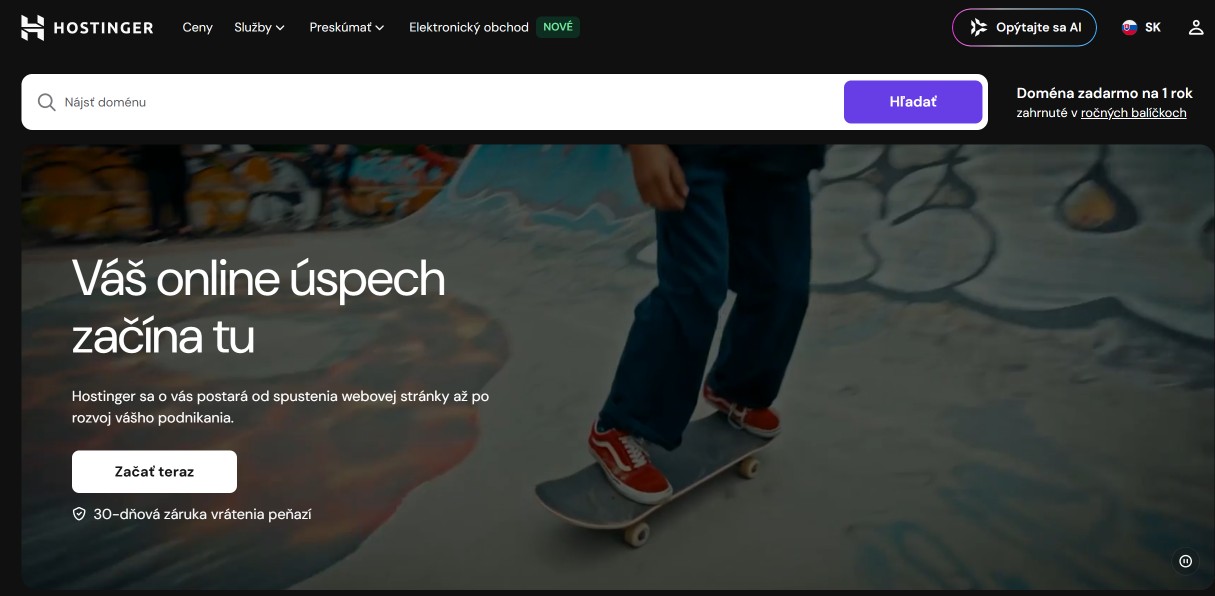
Hostinger belongs among the more affordable hosting providers, but the best prices are tied to longer subscriptions. When I checked the pricing on July 7, 2026, the lowest WordPress hosting prices were available with a 48-month term. After the initial period, you should expect a higher renewal price.
Tip: You can find all current discounts and coupons in the deals section.
| Plan | Best for | Promo price | Renewal price | Main parameters |
|---|---|---|---|---|
| Premium | Small website, blog or portfolio | from $2.99/mo. | $10.99/mo. | 3 websites, 20 GB SSD, weekly backups, domain for 1 year |
| Unlimited | Multiple websites and long-term projects | from $3.79/mo. | $16.99/mo. | unlimited websites, 50 GB NVMe, daily backups, CDN |
| Cloud Startup | Agencies and more demanding websites | from $7.99/mo. | $25.99/mo. | unlimited websites, 100 GB NVMe, daily and on-demand backups |
Treat these as global indicative prices in USD, excluding possible local taxes and checkout changes. Hostinger often runs promotions, so the final amount may vary by country, currency, subscription length and active campaign.
Do not look only at the monthly price. Also check how much you pay upfront, what the renewal costs, whether you need multiple websites, daily backups, CDN and stronger resources for WooCommerce or a growing content site.
Features and parameters
Hostinger offers a strong feature set for the price. You get WordPress hosting, SSL, automatic migration, AI tools, LiteSpeed optimization, backups, CDN in selected plans and security features. For a standard business website or blog, the feature set is more than enough.
WordPress and AI tools
Hostinger is suitable for WordPress users who want to launch a website quickly without complicated configuration. AI tools help with website creation, basic technical questions and navigation through settings, which is especially useful for beginners.
The plans include WordPress, a drag-and-drop website builder and various AI features. Higher plans provide more storage, more backups and a better reserve for multiple projects.
Performance and speed
Hostinger uses LiteSpeed optimizations and, in higher plans, NVMe storage. That is a good foundation for a fast WordPress website. Lower-cost plans still use shared resources, so I would choose a stronger plan for demanding online stores.
For a blog, portfolio, business website or smaller WooCommerce store, Hostinger makes a lot of sense. For a large store, membership website or high-traffic magazine, I would go with at least Cloud Startup or a more powerful alternative.
Security and backups
Hostinger’s security feature set is very solid for affordable hosting. In practice, you will appreciate SSL, backups, CDN in selected plans, security features and infrastructure protection. With WordPress, I still recommend a quality security plugin and regular updates.
Backups are especially important when updating WordPress, plugins and themes. If you run an online store, choose a plan with daily backups and keep an additional backup strategy outside the hosting account.
hPanel
hPanel is Hostinger’s own control panel and replaces the classic cPanel. It is simpler, more modern and less technical. For new users, this is an advantage because domains, email, WordPress, backups and performance settings are all in one place.
If you have used cPanel for years, you may need some time to adjust. If you are just starting with hosting, hPanel is one of the reasons why Hostinger is popular among beginners.
Pros
The biggest advantage of Hostinger is the price-to-performance ratio. For a low entry price, you get hosting, WordPress tools, SSL, backups, AI features and simple management. That makes Hostinger a strong choice for a first website and smaller business projects.
- very low entry price with a longer subscription,
- clear hPanel dashboard suitable for beginners,
- AI tools and simple website creation,
- WordPress hosting with LiteSpeed optimization,
- free website migration,
- SSL certificates and security features,
- 30-day money-back guarantee for eligible products,
- good feature set even in cheaper plans.
Cons
Hostinger is not ideal for everyone. Pay attention to renewal prices, the long commitment required for the best discounts and the limits of cheaper plans. Large online stores, big magazines or high-traffic projects should run on stronger hosting.
- the lowest prices require long subscriptions,
- renewal prices are much higher than promo prices,
- cheaper plans may not be enough for demanding websites,
- support is focused mainly on chat and AI assistance,
- some users may miss classic cPanel,
- “unlimited” features are still subject to fair-use rules.
My experience
Hostinger makes the most sense when you want to launch a WordPress website quickly and do not want to deal with technical hosting details. It is strongest for blogs, smaller business websites, portfolios and projects with reasonable traffic.
I like that users are not immediately thrown into a technical environment full of abbreviations. hPanel is logical, WordPress can be launched quickly and AI tools can save time for users who do not want to study every setting separately.
I would be most careful when choosing the subscription length. The promo price looks excellent, but if you do not want to commit for four years, the final cost may be different. Always check the renewal price before buying.
User reviews
User reviews of Hostinger are mostly positive, especially around ease of use, support and price-to-performance ratio. On Trustpilot, when I checked it on July 7, 2026, Hostinger had around 70,000 reviews, with 87% being 5-star ratings.
Negative experiences most often mention billing, support, email services, the website builder or situations where users need fast human assistance. That is why I recommend reading not only the average rating but also the latest negative reviews.
My recommendation is simple: Hostinger is a very good cheap hosting provider, but for a critical business website, always check the plan limits, backups, renewal price and support options in advance.
Hostinger alternatives
Hostinger has a strong price-to-performance ratio, but it is not always the best choice. If you want more local support, regional domains, a different type of infrastructure or a more traditional hosting environment, compare Websupport, HostCreators, Webglobe, WEDOS and Bluehost.
Websupport
Websupport may suit users who want a more regional provider, a well-known brand and hosting focused on the Central European market. Compared with Hostinger, it may be more expensive, but regional background and support can be an advantage.
Hostinger wins mainly on price, AI tools and the modern hPanel. I would choose Websupport for local business websites where domain, hosting and support should stay closer to the regional market.
HostCreators
HostCreators makes sense for WordPress websites where you want less mass-market hosting and a more personal approach. Hostinger is a simpler global start, while HostCreators may fit projects that need closer communication and individual support.
Hostinger is cheaper and more beginner-friendly. I would compare HostCreators when communication, personal support and a more individual hosting approach matter more than the lowest promo price.
Webglobe
Webglobe is another alternative for users who prefer a more regional hosting solution. Compared with Hostinger, it can be more practical for domains, support and managing a standard business website.
I would choose Hostinger for a low-cost WordPress start and a simple global solution. Webglobe makes sense if you want to manage your domain, hosting and support through a more regional provider.
WEDOS
WEDOS is a known alternative for users looking for affordable hosting in the Czech-Slovak region. Compared with Hostinger, it may be more practical for projects focused on that regional market.
Hostinger feels more modern and puts more emphasis on AI tools. I would compare WEDOS especially when price, domains and a more regional hosting background are important.
Bluehost
Bluehost is a well-known international alternative for WordPress users. Compared with Hostinger, it feels more traditional, but it still offers a simple WordPress start, beginner-friendly support and a strong global brand.
I would prefer Hostinger for a lower entry price, modern hPanel and AI features. Bluehost makes sense if you want a well-known international WordPress solution and you are comfortable with an English-language environment.
Support and contact
Hostinger offers 24/7 support through online channels, a knowledge base, tutorials and AI assistance. Many common issues can be solved through chat or the help center. In more complicated situations, some users may miss faster direct access to a human agent.
For questions around WordPress, DNS, domains, SSL and migration, the support is sufficient. For urgent or technically complex problems, I recommend having backups ready, describing the issue clearly and not relying only on automated recommendations.
Summary and rating
Hostinger is a very good hosting option for users who want an affordable, simple and feature-rich start. I recommend it mainly for WordPress websites, blogs, portfolios, smaller business sites and projects where price-to-performance ratio matters.
My rating: 8.6/10.
I recommend Hostinger if you:
- are launching your first WordPress website,
- want a low entry price,
- prefer simple management,
- want AI tools included in hosting,
- do not need a highly specific server setup.
I do not recommend Hostinger if you:
- run a large online store with high traffic,
- want primarily local support,
- do not want a long subscription,
- require phone support,
- need fully custom server settings.
If you want affordable hosting with a modern dashboard and a solid WordPress foundation, Hostinger is one of the most interesting options. Just check the renewal price before buying and choose a plan based on the real size of your project.
Frequently asked questions
Below you will find answers to common questions about Hostinger. I focused on WordPress, pricing, online stores, the money-back guarantee, plan selection and alternatives.
Is Hostinger good for WordPress?
Yes, Hostinger is a good hosting option for WordPress, especially for beginners, bloggers, freelancers and smaller businesses. It offers simple WordPress installation, LiteSpeed optimization, AI tools, SSL, backups and a clear hPanel dashboard. For large stores, I would choose a stronger plan.
How much does Hostinger cost?
Hostinger has promo prices starting at a few dollars per month, especially with long subscriptions. With WordPress hosting, it is important to check the difference between the promo price and the renewal price. The lowest price usually requires upfront payment for several years.
Does Hostinger have a money-back guarantee?
Yes, Hostinger states a 30-day money-back guarantee for eligible products. Before ordering, check the current terms because some services, domains, payment methods or specific products may have different refund rules.
Is Hostinger suitable for online stores?
Hostinger can be suitable for a smaller WooCommerce store or a simple online selling project. For a larger store with high traffic, a bigger catalog or demanding plugins, I would choose Cloud Startup or a more powerful alternative.
Is Hostinger better than Websupport?
Hostinger is usually more attractive in terms of price, modern interface and AI tools. Websupport can be a better option for users who want a more regional environment, a known local brand and services focused on the Central European market. The choice depends on the project priorities.
Which Hostinger plan should I choose?
For a small website or blog, Premium is enough. For multiple websites and long-term projects, I would consider Unlimited. For agencies, growing magazines or more demanding WordPress projects, Cloud Startup makes more sense because it offers more resources and better backups.



I’ve been looking into Hostinger recently too – the pricing definitely seems attractive for a starting website.