Kinsta is a premium managed WordPress hosting service for businesses, agencies, online stores, and websites where speed, stability, and expert support matter. In this review, I examined its current pricing, features, limits, user experiences, advantages, disadvantages, and the best alternatives.

Quick summary
I recommend Kinsta mainly to businesses, agencies, WooCommerce stores, and owners of important WordPress websites. It offers high-quality infrastructure, CDN, edge caching, daily backups, staging, security protection, free migrations, and expert 24/7 support. Its biggest disadvantages are the higher price and resource limits.
Kinsta may be unnecessarily expensive for a small personal blog or a first website. However, if your site generates revenue, attracts customers, or must remain reliable under heavier traffic, a managed service can save time, reduce technical risk, and simplify WordPress management.
What is Kinsta?
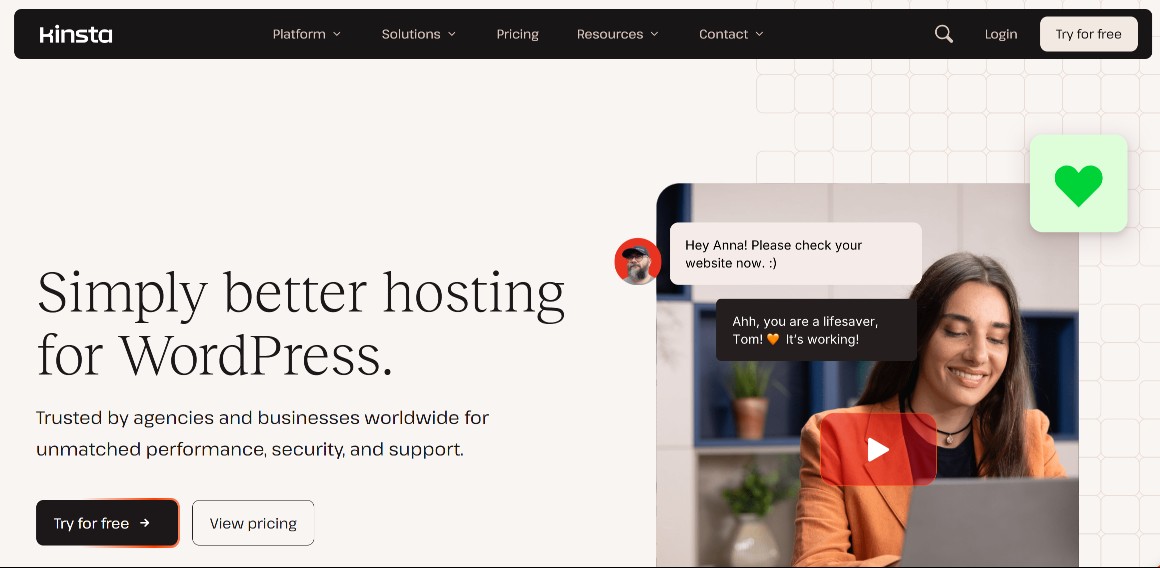
Kinsta is a managed hosting platform specializing in WordPress. Instead of ordinary shared hosting, it provides an environment designed for performance, security, and professional website management. Its plans include backups, staging, CDN, monitoring, migrations, and WordPress-focused support.
Managed hosting means the provider handles a large part of the server infrastructure for you. Kinsta takes care of operating-system security patches, uptime monitoring, database optimization, and Cloudflare protection. You remain responsible for updating themes, plugins, and your own code.
Kinsta is not a cheap all-in-one web host that bundles a domain and email accounts. It is a specialist service for WordPress projects where infrastructure quality and support matter more than the lowest possible monthly price.
Pricing and plans
Kinsta is one of the more expensive WordPress hosting providers. The entry plan for one website costs $35 per month with monthly billing or approximately $30 per month with annual billing. Prices exclude tax and may change depending on the selected billing method and current promotion.
Tip: You can find all current discounts and coupons in the deals section. On selected plans, Kinsta offers new customers the first month free, followed by a 30-day money-back guarantee after the free period ends.
| Plan | Monthly | With annual billing | WordPress sites | Storage | Server bandwidth | CDN |
|---|---|---|---|---|---|---|
| Single 20GB | $35 | $30/month | 1 | 10 GB | 20 GB | 125 GB |
| WP 2 | $70 | $59/month | 2 | 20 GB | 40 GB | 250 GB |
| WP 5 | $115 | $96/month | 5 | 30 GB | 65 GB | 500 GB |
| WP 10 | $225 | $188/month | 10 | 40 GB | 125 GB | 750 GB |
Selected plans can be billed by server bandwidth or by visits. Always check which model is better for your website before choosing. If you exceed a limit, your website remains online, but overage charges may apply.
Single 20GB is the most affordable option for one business website. WP 2 suits two websites, WP 5 works for a smaller agency or project portfolio, and WP 10 covers a larger group of client sites. Separate agency plans with additional features are also available at higher prices.
Features and specifications
Kinsta combines hosting, performance tools, security, and WordPress management in the MyKinsta dashboard. Key features include Cloudflare protection, CDN and edge caching, automatic backups, staging, free migrations, uptime monitoring, Kinsta APM, SSH, WP-CLI, Git, and an API.
Performance and infrastructure
Kinsta provides global cloud infrastructure, automatic resource scaling, server caching, and a CDN with edge caching. The goal is faster content delivery and stability during traffic spikes. Actual performance still depends on your theme, plugins, database, and website optimization.
A major advantage is the built-in Kinsta APM tool. It helps identify slow database queries, external calls, plugins, or processes that hold a website back. On a complex WordPress installation, diagnostics can be just as important as raw server performance.
CDN and edge caching
Every plan includes CDN and edge caching through Cloudflare. Static and cached content can be delivered from network locations closer to visitors, reducing latency. It is easy to enable and does not require you to configure a separate external CDN service.
Each plan has a CDN transfer allowance. Monitor usage on media-heavy websites, large publications, or stores with many images. Kinsta sends alerts when you approach limits, but exceeding them can increase your final bill.
Backups and restoration
Kinsta automatically creates daily backups of every WordPress website. They include files, the database, and environment configuration, with at least 14 days of retention on entry plans. MyKinsta also lets you create manual restore points and restore either a live site or a staging environment.
System backups are also created before certain operations, such as pushing staging to production or running updates through MyKinsta. Paid hourly backups are available for stores and very active websites because one daily backup may not capture every order or change.
Staging and developer tools
Kinsta provides a staging environment where you can safely test updates, plugins, design changes, or custom code. You do not have to make changes directly on the live site. Developers also get SSH, SFTP, WP-CLI, Git, database tools, and the programmable Kinsta API.
Staging is particularly important for business websites and WooCommerce stores. A plugin update can cause a conflict, break the cart, or change the design. A test environment significantly reduces risk, although pushing the database of an active store still requires care.
Security
Kinsta protects websites with a managed firewall, Cloudflare Enterprise DDoS protection, monitoring, security rules, and free malware removal under its security guarantee. The platform protects the infrastructure layer, while plugin, theme, and user-account security remains your responsibility.
The benefit is that you do not need to assemble basic protection from several separate services. I still recommend strong passwords, two-factor authentication, regular WordPress updates, and a limited plugin stack. Even excellent hosting cannot completely eliminate the risks of vulnerable or poor-quality code.
Free migrations
Kinsta includes unlimited free WordPress migrations performed by its migration team. This is useful for businesses and agencies that do not want to move databases, files, and DNS or handle testing themselves. You need to provide access details and schedule the final switch.
A professional migration reduces the risk of downtime or damage but does not replace post-migration checks. I recommend testing forms, logins, payments, emails, redirects, and caching. With WooCommerce, minimize the period during which new orders could still be placed on the old server.
Advantages
Kinsta’s main advantages are its high-quality managed environment, ease of use, performance, security, and support. The platform is designed so website owners and agencies do not need to handle routine server administration and can use professional WordPress tools.
- managed WordPress hosting focused on performance and stability,
- Cloudflare CDN and edge caching,
- managed firewall and DDoS protection,
- automatic daily backups and easy restoration,
- staging environment for safe testing,
- unlimited free migrations,
- expert 24/7 chat support,
- clear MyKinsta dashboard,
- APM, SSH, WP-CLI, Git, and API for developers,
- 30-day money-back guarantee.
Disadvantages
Kinsta is not right for everyone. Its biggest drawback is the higher price compared with standard shared hosting. Users must monitor bandwidth, storage, or visit limits, and overages may lead to additional charges. Email hosting is not included.
- high price even for one WordPress website,
- server bandwidth, visit, CDN, and storage limits,
- overage charges on selected limits,
- email accounts require a separate provider,
- WordPress plans are not general-purpose hosting for arbitrary applications,
- support does not fix custom code, a broken theme, or every plugin conflict,
- unnecessarily robust and expensive for a simple blog,
- prices are listed in USD and exclude tax.
My experience
When assessing Kinsta, I see the combination of performance, a clear dashboard, security features, and technical support as its greatest value. It feels like a professional working tool rather than the cheapest place to store a website. It makes the most sense for commercially important projects.
MyKinsta is clearer than a traditional cPanel and brings websites, domains, backups, caching, analytics, and staging into one interface. Agencies also benefit from user access management. Beginners can handle the core tasks, while developers and website administrators will get the most from the advanced features.
Price is the main concern. For a small low-traffic website, the difference compared with cheap hosting may be too large. For a store, business website, or client portfolio, you should also account for the value of migrations, backups, staging, support, monitoring, and the time saved on management.
Kinsta cannot solve every WordPress problem. A slow plugin, low-quality theme, or poorly designed WooCommerce store can remain problematic on good hosting. However, the platform gives you a strong foundation and tools that make issues easier to identify and resolve.
User reviews
Kinsta user reviews are predominantly very positive. At the time of checking, the service had a 4.7 out of 5 rating on Trustpilot from more than 1,100 reviews. Kinsta showed 4.8 out of 5 on G2 from more than 1,200 ratings. These figures change over time.
Users most often praise the fast and knowledgeable support, reliability, performance, and clear interface. Positive reviews frequently mention help with complex technical issues and migrations. That matters because strong support is one of the main reasons managed hosting costs more.
Negative feedback most often concerns pricing, extra costs, resource limits, or expectations about the scope of support. Some users dislike that storage and usage limits are lower than on cheap hosting plans. I therefore recommend comparing specifications rather than relying only on the overall star rating.
Kinsta alternatives
Kinsta is a strong choice for professional WordPress hosting, but it will not suit every budget or technical requirement. The main alternatives I recommend comparing are WP Engine, Cloudways, SiteGround, and Hostinger. Each targets a somewhat different user and price range.
WP Engine
WP Engine is Kinsta’s closest direct alternative. Both focus on premium managed WordPress hosting, staging, security, backups, developer tools, and support. Your decision will mainly depend on current pricing, limits, workflow, and the dashboard you prefer.
I would favor Kinsta for users who prefer MyKinsta, Cloudflare integration, and straightforward plans based on bandwidth or visits. WP Engine may be more attractive to agencies that can use its ecosystem, EverCache, and WordPress development tools.
Also read my WP Engine review.
Cloudways
Cloudways is managed cloud hosting for users who want greater control over infrastructure and server selection. It is not as strictly focused on WordPress as Kinsta, but offers a more flexible cloud environment and can be cost-effective when running several applications.
Kinsta is the simpler choice for a business that wants a finished premium WordPress platform. Cloudways better suits technical users and agencies that want to size a server, run several websites on one instance, and maintain more control over cloud resources.
Learn more in my Cloudways review.
SiteGround
SiteGround is a suitable alternative for smaller business websites and users who want capable WordPress hosting at a lower introductory price. It offers its own performance, backup, and site-management tools, but it is not in the same premium managed-hosting category.
Kinsta makes more sense for a critical website, agency workflow, and specialist support. SiteGround may be more reasonable for a simpler WordPress website when saving money is important. However, compare the renewal price after the introductory period.
See the details in my SiteGround review.
Hostinger
Hostinger is an affordable alternative for beginners, blogs, portfolios, and smaller business websites. It offers a simple dashboard and WordPress features for much less money, but not the same premium managed environment, support, or resource isolation as Kinsta.
I would choose Hostinger for a smaller budget and a simple project. Kinsta is more appropriate when the website directly affects revenue and requires staging, advanced diagnostics, and expert support. The price difference should be evaluated against the website’s value, not only its storage allowance.
Also read my Hostinger review.
Support and contact
Kinsta provides expert technical support 24 hours a day, seven days a week. Contact primarily takes place through chat in the MyKinsta dashboard. The team specializes in WordPress and hosting infrastructure, which is one of the service’s main competitive advantages.
Chat is practical because the technician can see the account and website context. Support helps with migrations, server problems, DNS, SSL, caching, and diagnostics. Its scope does not include building websites, programming custom features, or fixing every theme and plugin conflict.
Kinsta also offers documentation, a community forum, and a public service-status page. Users should note that support is available in selected major languages; local telephone support is not a standard part of WordPress plans.
Conclusion and rating
Kinsta is an excellent managed WordPress host for businesses, agencies, online stores, and projects that need high-quality infrastructure, backups, staging, security, and expert support. It is not the cheapest option, but on a commercially important website its value may outweigh the higher price.
My rating: 9/10.
I recommend Kinsta if you:
- run an important business website or WooCommerce store,
- manage websites for clients,
- need staging, backups, and monitoring,
- want expert 24/7 WordPress support,
- value free migrations and managed security,
- have the budget for premium hosting.
I do not recommend Kinsta if you:
- want the cheapest hosting for a first website,
- need email accounts in the same package,
- do not want to monitor bandwidth, visits, and storage,
- need general-purpose hosting for different applications,
- run a simple hobby blog with no commercial value.
Kinsta is most worthwhile when downtime, a slow website, or a technical issue costs more than the difference in hosting price. Cheaper options exist for a small undemanding website. For a professional WordPress project, however, Kinsta remains one of the best and most complete choices.
Frequently asked questions
Below are concise answers to common questions about Kinsta. I cover pricing, the free period, WordPress, WooCommerce, email, backups, migrations, support, and suitability for professional websites. Always check current specifications and pricing before ordering.
How much does Kinsta cost?
Kinsta’s cheapest WordPress plan costs $35 per month with monthly billing or approximately $30 per month with annual billing. It includes one WordPress website, 10 GB of storage, 20 GB of server bandwidth, and 125 GB of CDN bandwidth. Prices exclude tax.
Does Kinsta offer a free trial?
Kinsta offers new customers the first month free on selected WordPress plans. Standard billing starts after the free period. WordPress hosting is then covered by a 30-day money-back guarantee under the current terms of service.
Is Kinsta suitable for WooCommerce?
Yes. Kinsta suits WooCommerce stores that need strong performance, staging, backups, security, and technical support. Larger stores should choose a sufficient plan, monitor dynamic requests and PHP workers, and consider hourly backups to reduce the risk of losing orders.
Does Kinsta include email accounts?
No. Kinsta is not a traditional email host, and email accounts are not a core part of its WordPress plans. Business email requires a separate provider. This may improve reliability, but it also increases the number of services you manage and the total cost.
Does Kinsta create automatic backups?
Yes. Kinsta automatically creates daily WordPress backups. Entry plans retain them for at least 14 days, and you can create manual restore points in the dashboard. Paid hourly backups are available for very active websites and WooCommerce stores that require more frequent snapshots.
Are Kinsta migrations free?
Yes. Kinsta includes unlimited free WordPress migrations performed by its migration team. After the move, I recommend testing forms, payments, redirects, logins, email delivery, and other important functions before making the final DNS switch.
Is Kinsta suitable for beginners?
The Kinsta dashboard is clear, and less experienced users can handle the main tasks. However, the service may be unnecessarily expensive for a complete beginner with a small budget. Businesses, agencies, and owners who use staging, support, and advanced tools receive the most value.
Is Kinsta worth it in 2026?
Yes. In 2026, Kinsta is worth considering for professional WordPress projects where performance, security, backups, staging, and support matter. It is expensive for a simple hobby website, but premium managed hosting can be a sensible investment for a revenue-generating business site or online store.